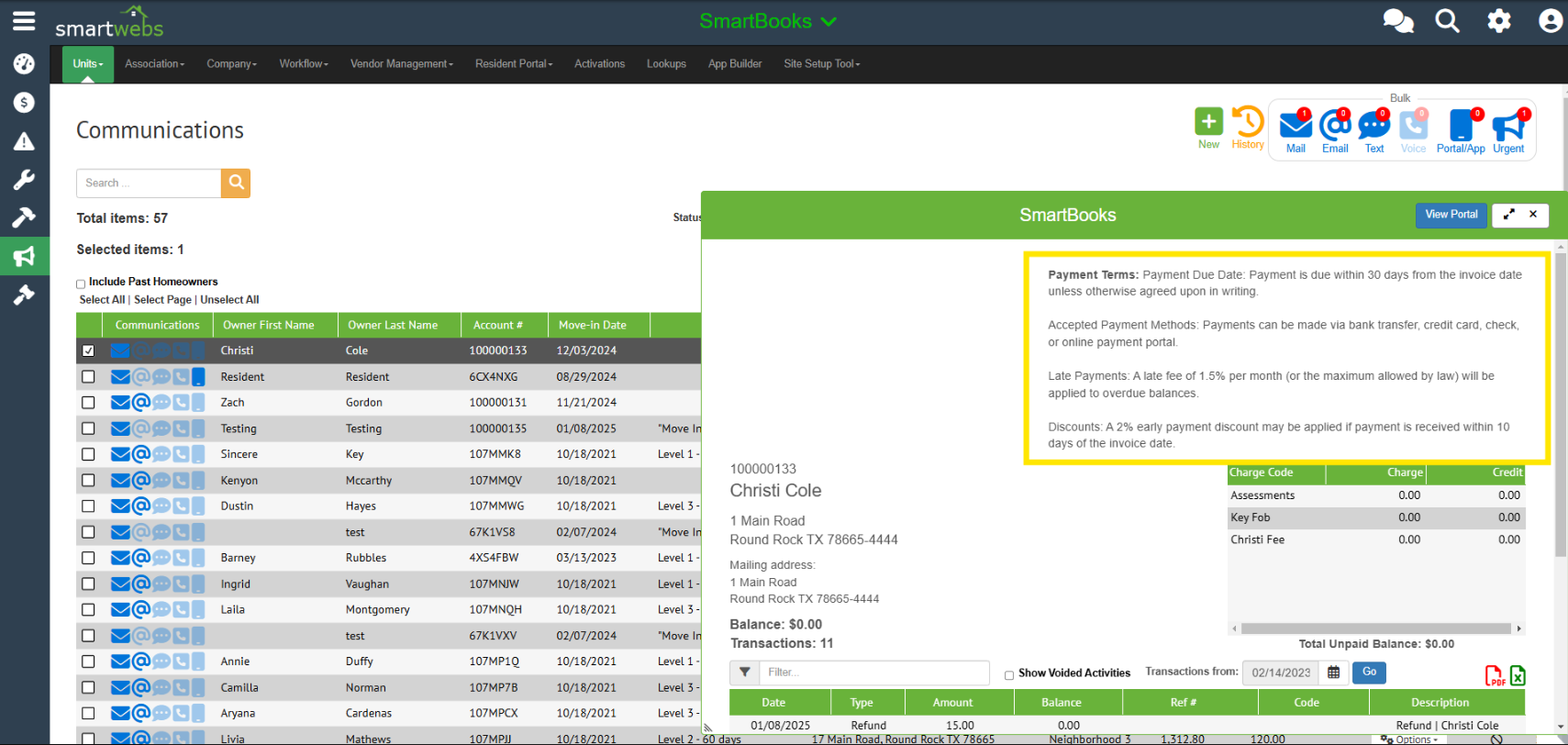
Once you configure your payment terms in the settings, you'll be able to make these visible to resident and staff via the resident portal and/or homeowner drawer.
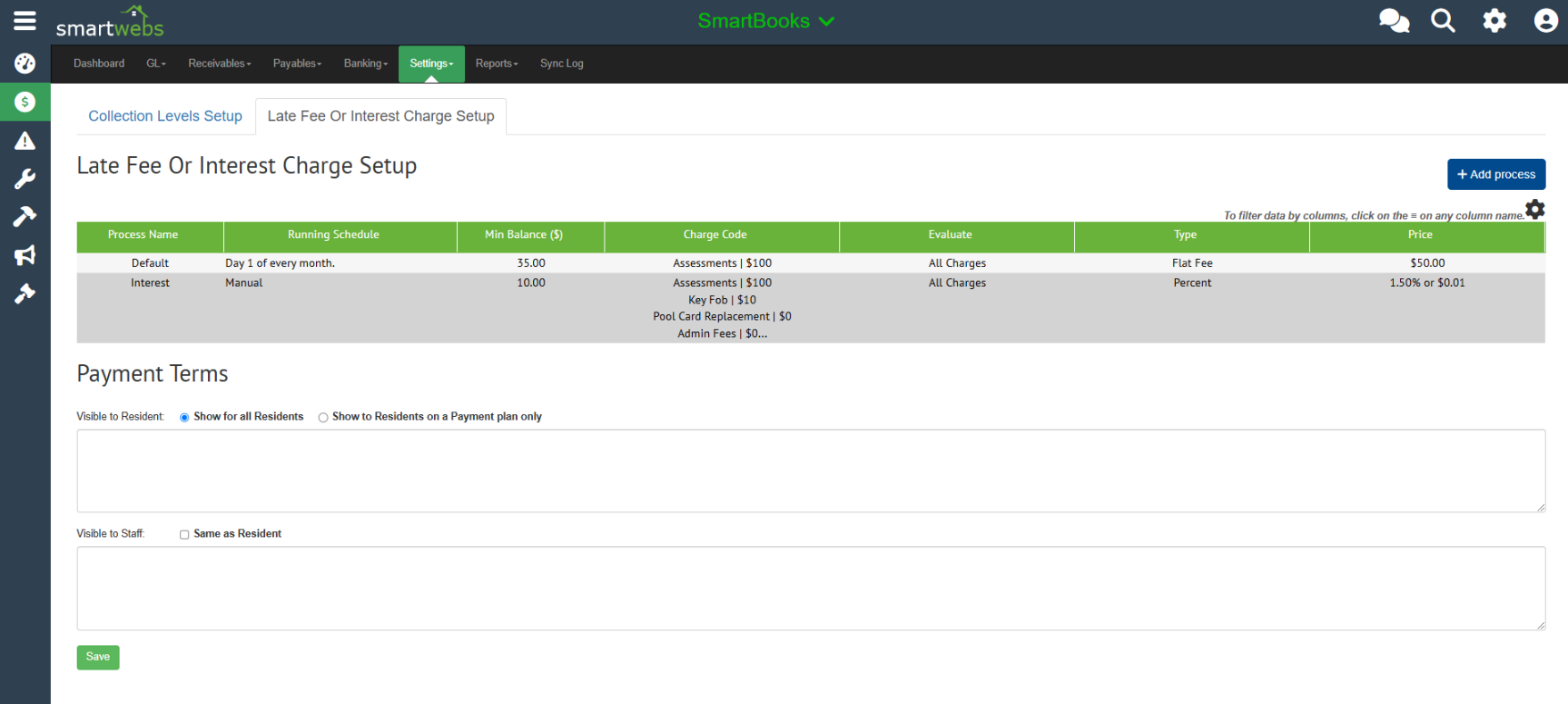
To configure payment terms
- Navigate to the Late Fee or Interest Charge Setup (Accounting > Settings > Collections > Late Fee or Interest Charge Setup)
- Enter your payment terms and click save.
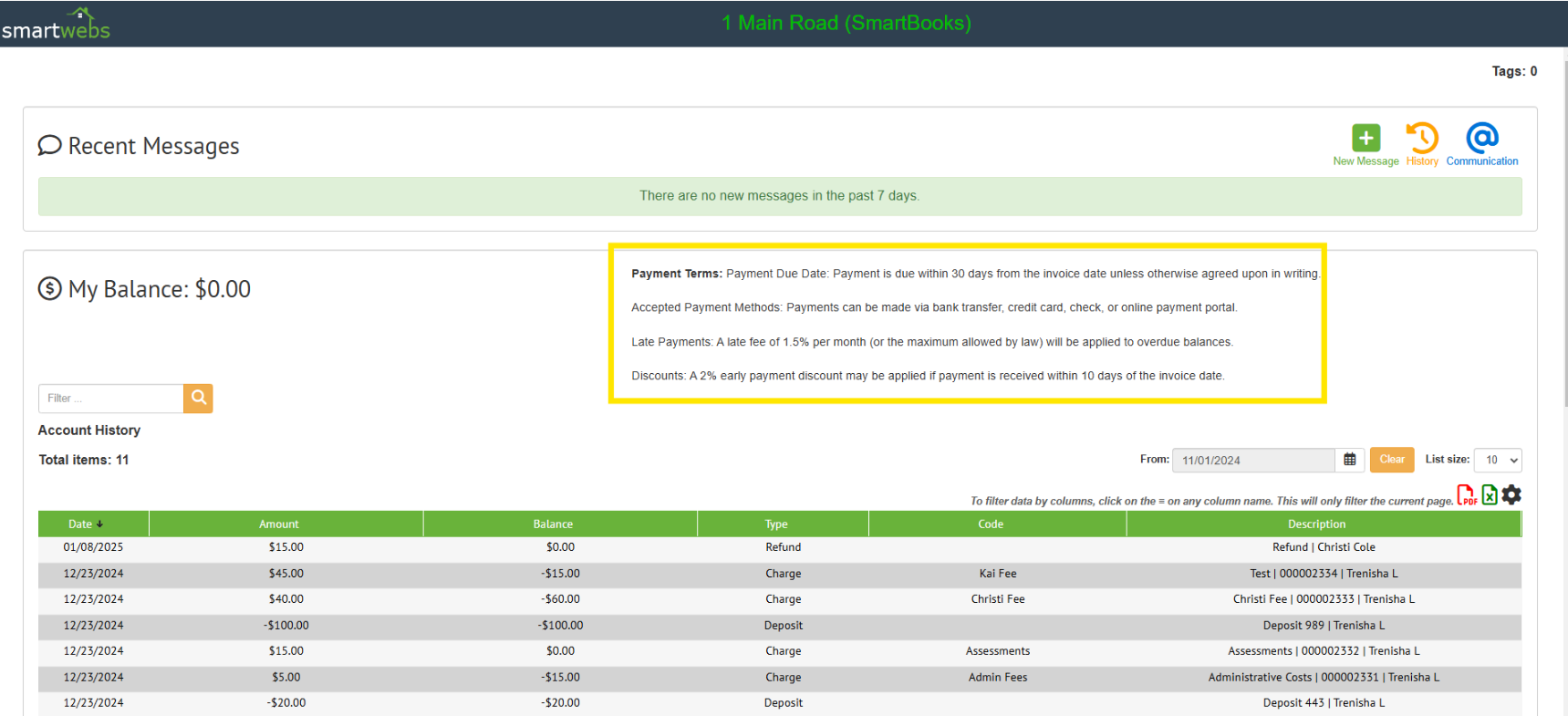
Residents can view information in the portal and staff can view in the homeowner drawer.
Resident view:
Staff view: