Reports
All reports are accessible through the menu within each module. Use the report types below to find detailed data, visual summaries, and activity logs for Work Orders, Violations, and Architectural (ARC) requests.
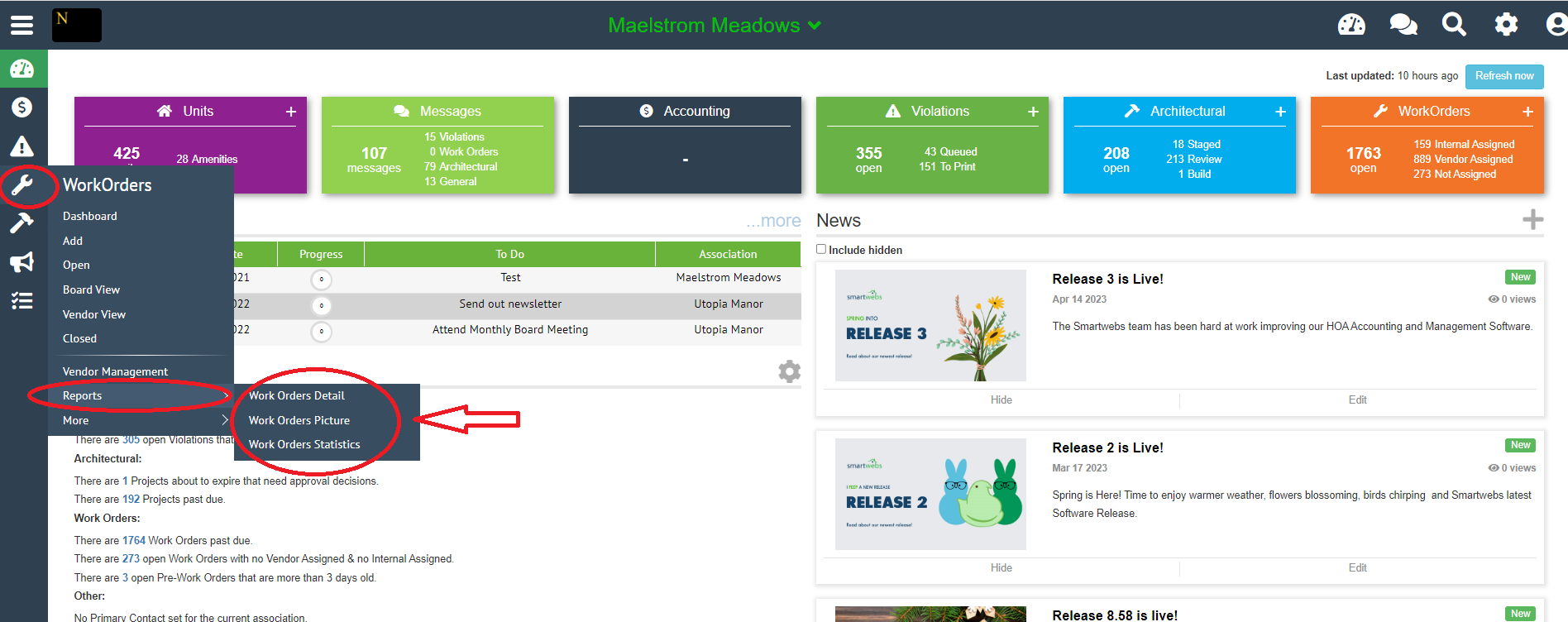
Work orders
- **Details Report** – Provides a detailed, filterable view of all work orders, including status, assignee, and completion data.
- Picture report - Detailed report with pictures. Can be filtered.
- Statistics report - Summary of work orders with a graph
(Work Order reports)
Violations
Community snapshot - summary view of all open violations
- **Dashboard** – A summary of violation-related work completed over a recent period. Can be filtered by stage to narrow results.
Compliance - 5 detailed reports
- Compliance
- Compliance (no fines/CC&Rs)
- Compliance Single Line - Shows basic info of all violations using filters
- **Compliance Picture** – A compliance report that includes photos of violations for visual documentation.
- Compliance Sheet
Letters - 3 reports for violation letters
- **Letters Queued/Printed** – Shows all violation letters that are currently queued for sending or have already been printed.
- Violation Letter Statistics
- Letter Activity (Completed and Pending) - Shows all letters sent
Activity - 5 reports for violation activities
- Violations Created/Updated
- Reinspection Activities
- Violations Cited
- Violation Activity
- Violation Status
(Violation reports)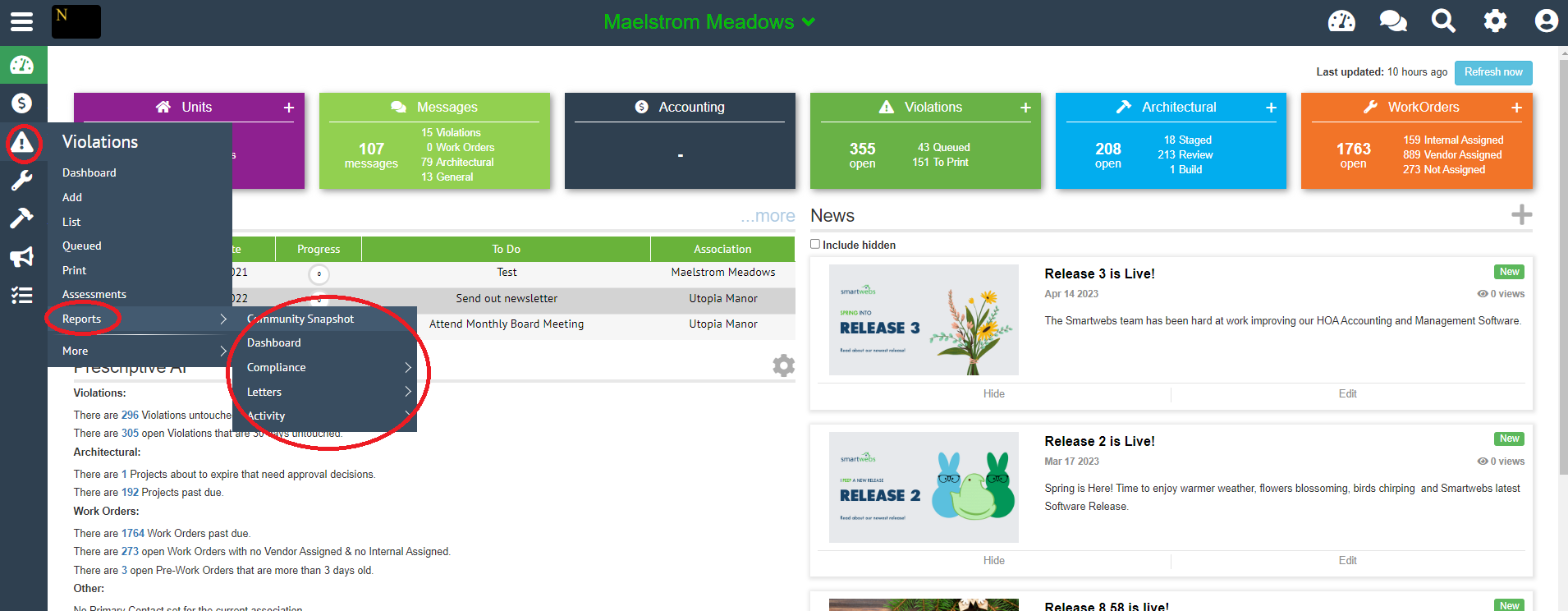
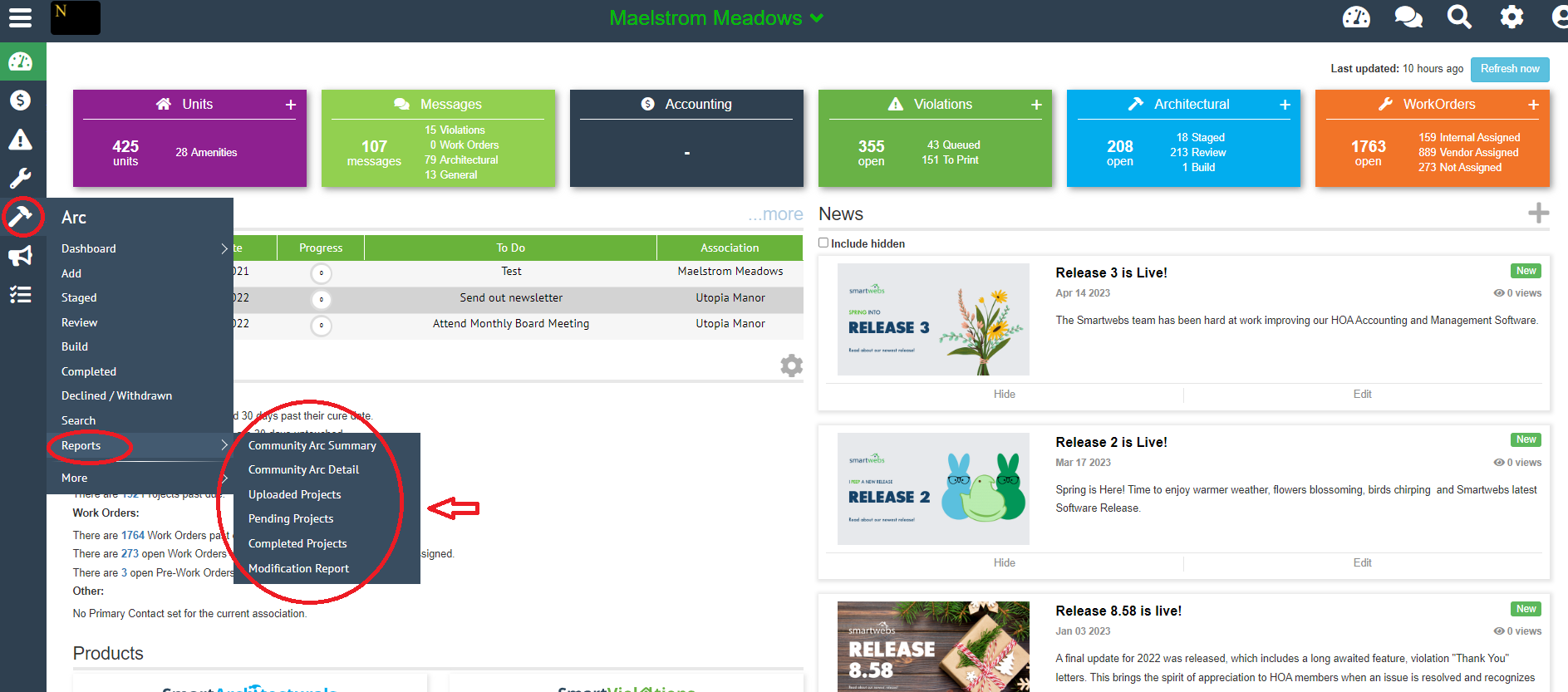
Architectural - 6 reports for ARC activities
- Community ARC Summary
- Community ARC detail
- Uploaded Projects
- Pending Projects
- Completed Projects
- Modification Report
(ARC reports)