
In Smartwebs, the resale process is designed to streamline the transfer of property ownership by automating "Resale Certificates" and closing documents. This ensures that title companies, buyers, and sellers have accurate financial and compliance data before a property changes hands.
The Request Phase
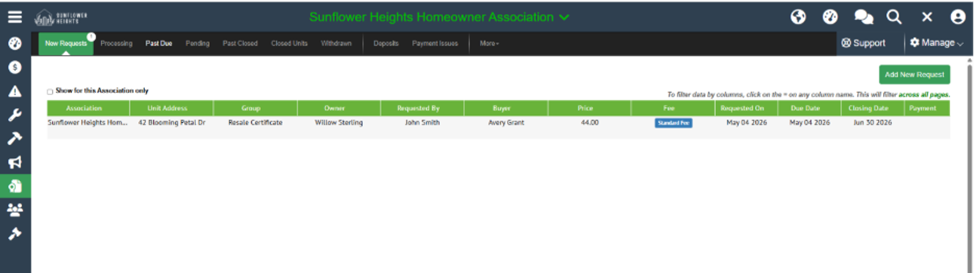
The process begins when a requestor (typically a title company or agent) initiates a new request through the portal.
- Property Lookup: The requestor searches for the specific address.
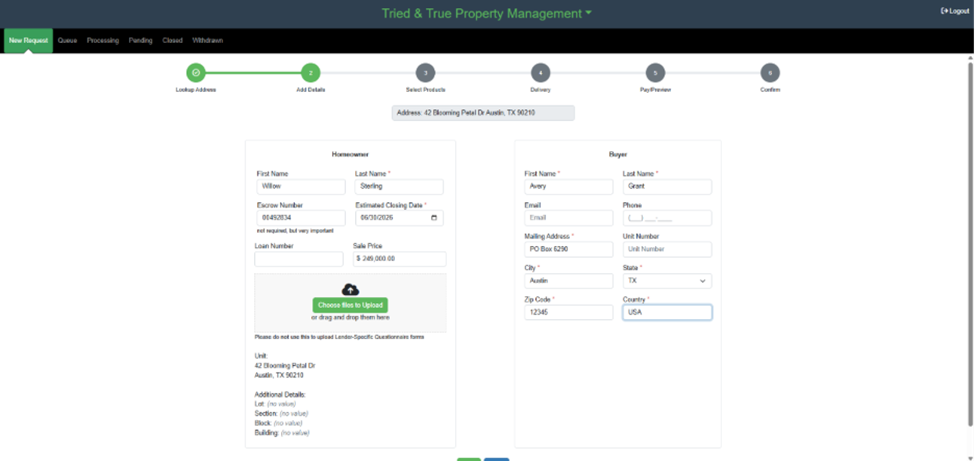
- Add Details: They enter essential information, including homeowner details, buyer information, escrow number, and the estimated closing date.
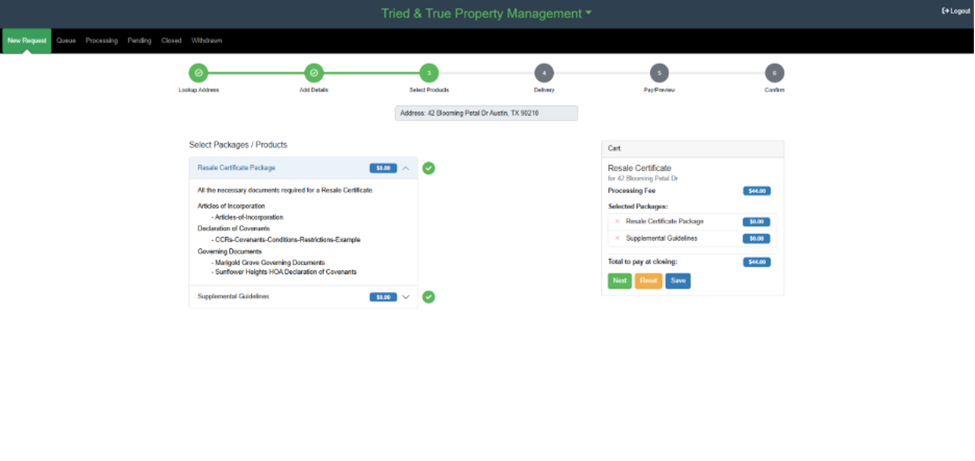
- Select Products: The requestor chooses the necessary packages, such as a Resale Certificate Package or Supplemental Guidelines.
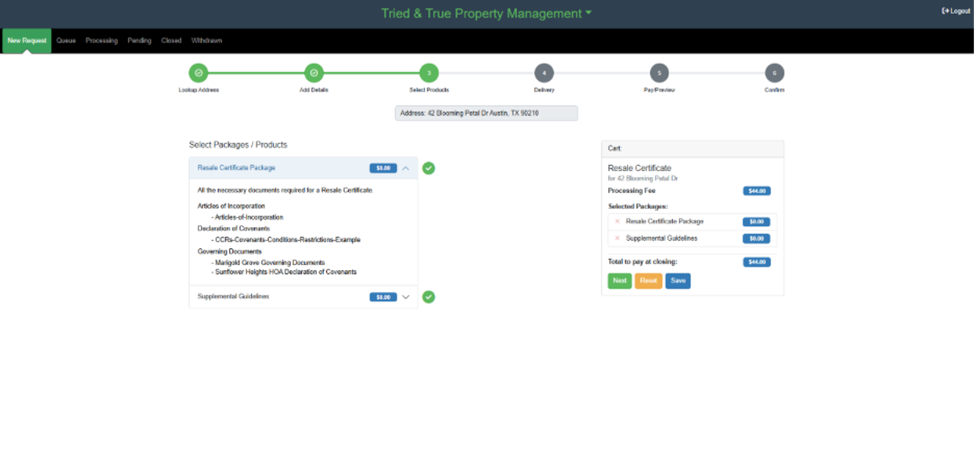
- Payment Integration (Zego): To move the request forward, the resale module requires a Zego integration to handle secure, automated payment processing for all selected products and convenience fees.
Queue Management
Once the request is submitted and payment is verified, it enters a digital queue for tracking and processing.
- Requestor Portal: The requestor can see their pending items, price, and current status.
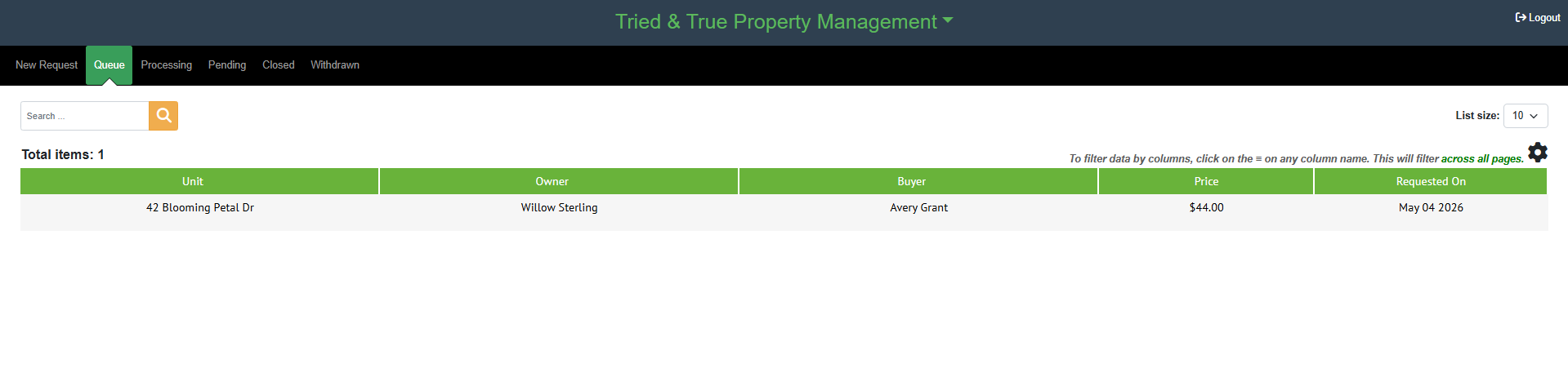
- Management View: The resale processor at the management company logs into the Smartwebs resale module to find new requests waiting for action.
Processing and Compliance
The processor reviews the request and handles all necessary documentation.
- Initiation: The processor clicks "Start Processing" after reviewing the basic details.
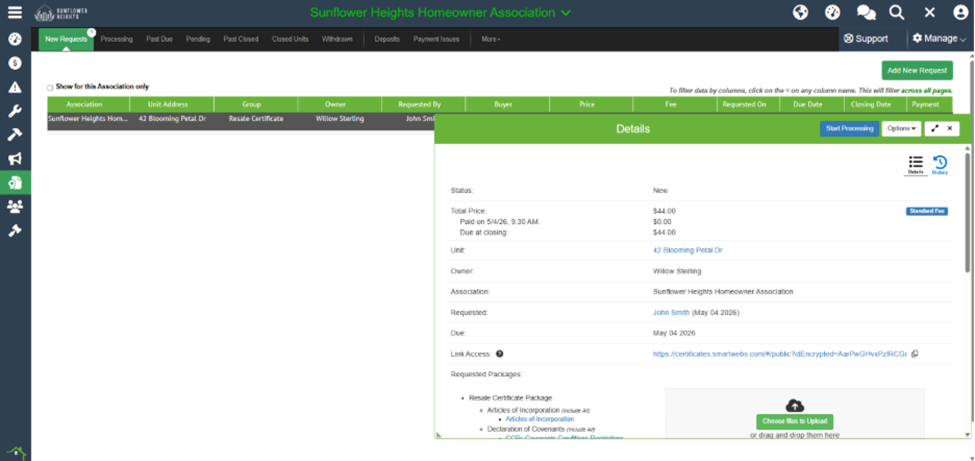
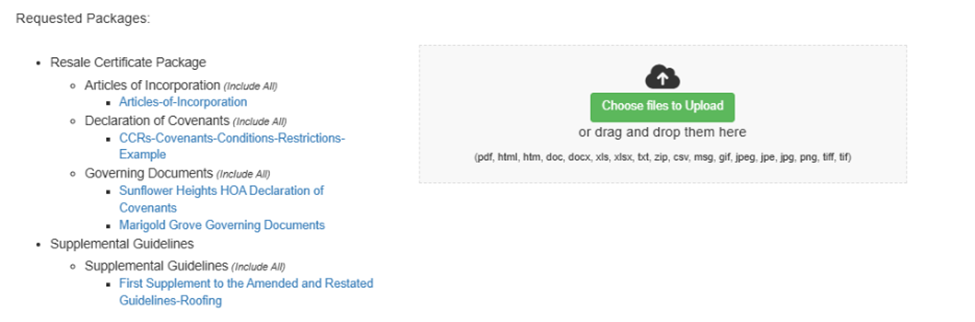
- Document Review: The system displays requested documents like Articles of Incorporation and CC&Rs. The processor can upload any additional files required for the packet.
- Template Selection: Specific email, letter, and Certificate of Compliance (COC) templates are assigned to the package.

- Violation Logging: If a property is out of compliance, the processor adds violations directly to the COC letter.

Delivery and Pending Status
After completion, the processor sends the final packet.
- Automated Email: The requestor receives an email with a secure link to download all documents.

- Pending Stage: The request moves to "Pending" while waiting for final closing.
Closing and Ownership Transfer
The final step occurs once the sale is officially recorded.
- Finalizing: The processor selects "Close" to finalize the request.
- Move In/Out: By selecting "Move out" during the closing step, the user can process the transfer of ownership (moving the seller out and buyer in) within the same interface.
- Archiving: The record is moved to the Closed Units view for permanent record-keeping.