What's New?
Passwords are now case-sensitive. This means uppercase and lowercase letters must be entered exactly as set when the password was created, improving overall account security.
What Should I Expect?
This change does not alter existing passwords or password requirements. However, if a user previously relied on case-insensitive login (for example, entering "Password" instead of "password"), they may experience login issues after this update.
How Do I Support It?
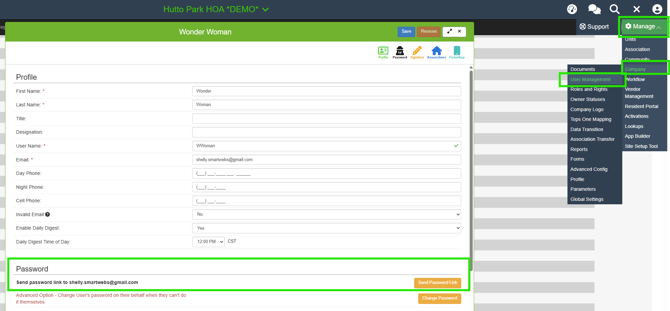
If a user cannot log in due to failed password attempts or is locked out, authorized management roles — such as Global Admin or any role with password reset permissions — can send the user a Reset Password link. To do so, navigate to:
Manage > Company > User Management > [Select User] > User Drawer