
Problem
Your bank account integration is active and correctly pulling in your current balance and lockbox payments, but you cannot see any individual transactions inside the Bank Details Drawer.
Why This Happens
This usually happens if there have been no recorded transactions within the last 30 days. The system defaults to a tight window, which can cause the transaction drawer to appear blank if the account has been relatively quiet.
How to Fix It
You can easily trigger a manual sync by adjusting your date settings. Follow these steps:
1. Navigate to the Banking Profile (Manage > Company > Banking - Bank Integration). Open the bank integration settings by clicking the three dots.
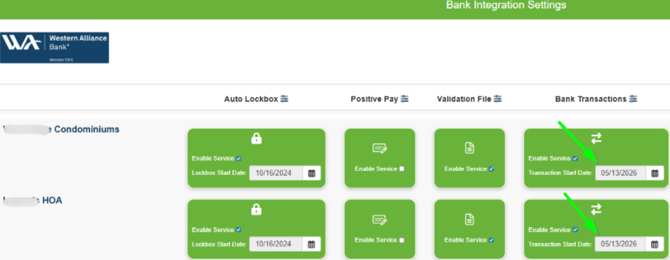
2. Update the transaction dates. Locate the bank transaction date range fields. Update the bank transactions date and click Save.
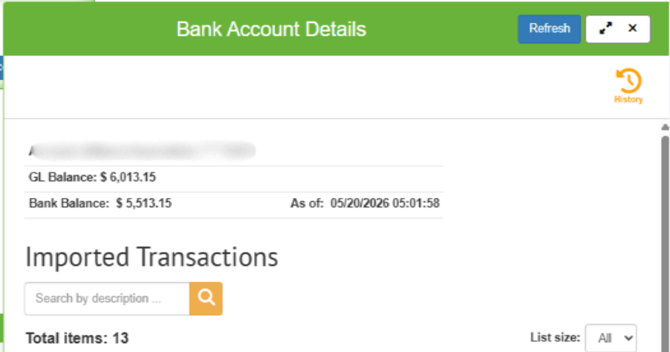
3. Refresh the account details. Head back to the Bank Account Details screen and click the Refresh button.
Still not seeing your transactions?
If the drawer remains empty after following these steps, there might be a deeper sync issue. Please reach out to our Smartwebs Support Team so we can look at the connection on the backend for you.