
Step 1: Access Vendor Management
Step 2: Open the Vendor Record
- Navigate to Manage.
- Select Vendor Management.
- Click Vendor Management.
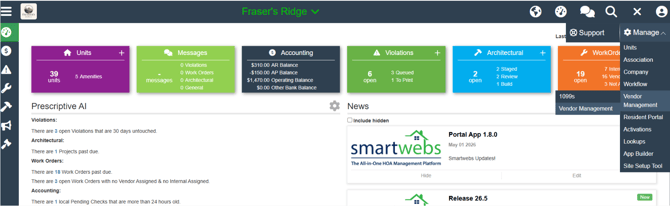
Step 2: Open the Vendor Record
- Locate and select the vendor you want to update.
- Click Edit.
- Under the Address section, select More Detail.
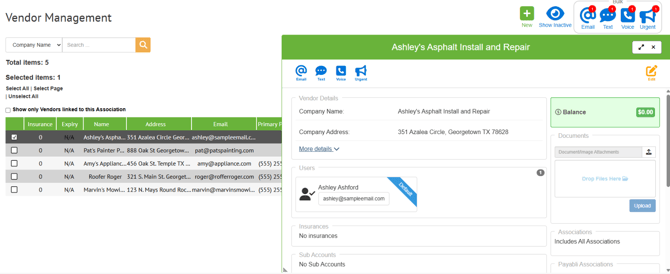
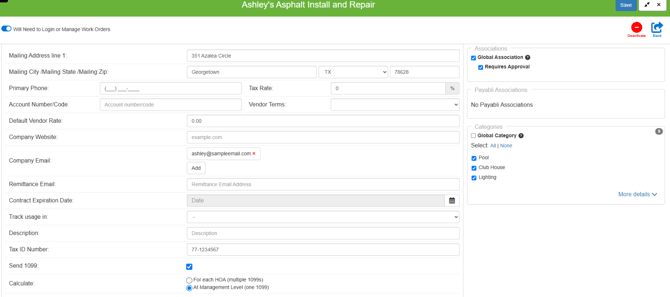
Review and update the following information as needed:
- Company Address
- Mailing Address
- Tax ID Number (TIN)
Step 4: Verify 1099 Settings
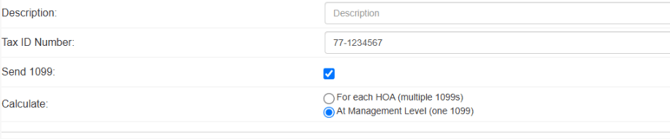
- Ensure the Send 1099 checkbox is selected.
- If the checkbox is not checked, the vendor will not be included in 1099 processing.
Step 5: Choose 1099 Distribution Method
Determine how 1099 forms should be generated:
- One 1099 per HOA – A separate 1099 will be created for each HOA.
- One 1099 at the Management Level – A single consolidated 1099 will be created.
Step 6: Save Changes
- Click Save to apply your updates.