
Initiating a Bad Debt Write Off
The most effective way to handle bad debt is to issue a Direct Credit against the owner's ledger. This offsets the outstanding balance without deleting the history of the original charges.
Setting Up Smartwebs for Write Offs
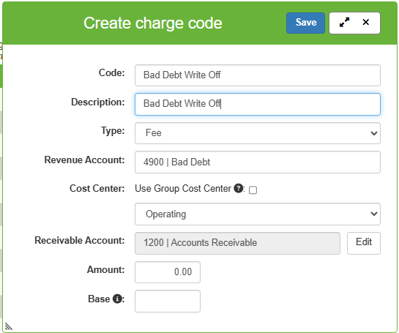
Before you can credit an account, you must have the appropriate charge code created.
-
Navigate to Settings > Charge Codes.
-
Click Add Charge Code.
-
Fill in the required fields (naming it "Bad Debt Write Off" or similar) and click Save.
Steps to Credit An Account
-
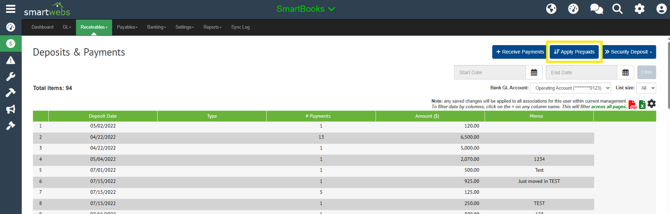
Run prepaids by navigating to Receivables > Deposits & Payments. Then click "Apply Prepaids".
-
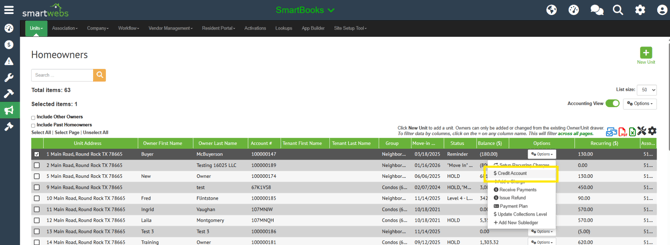
Navigate to Receivables > Search and select the specific homeowner
-
Go to Options and select Credit Account.
-
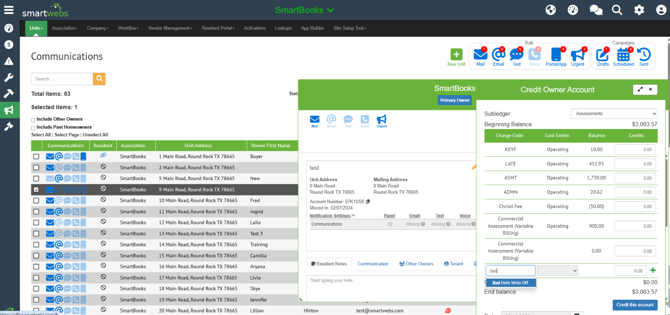
Choose the "Bad Debt Write Off" charge code.
-
Enter the amount and click the green + button.

-
Click "Credit this Account"
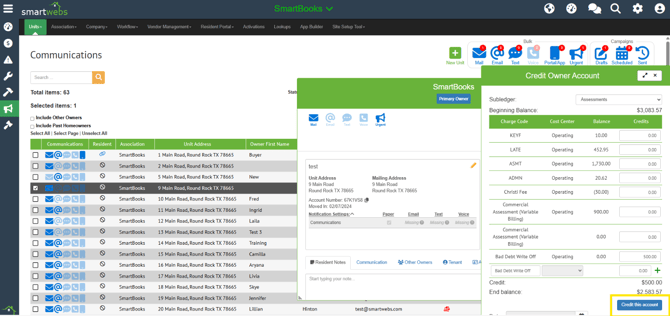
-
Post the credit by going to Receivables > Charges & Credits. Then click Post.
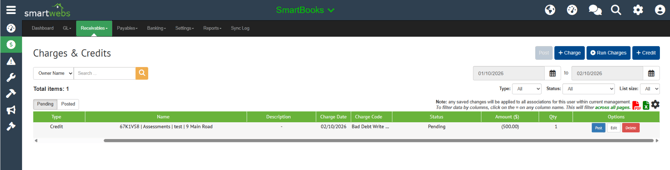
-
Run Prepaids again and choose to cross-apply.