
- Log in to Smartwebs and navigate to Accounting > Payables > Vendors.
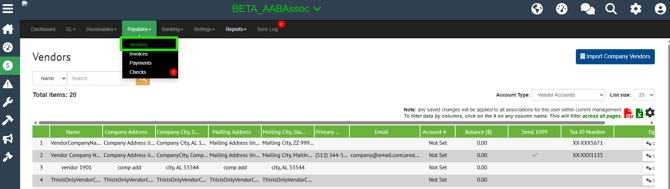
- Search for the desired vendor and select the vendor to open the drawer.
- Select the Edit Icon to begin editing.
-
Under Requires Approval, uncheck the checkbox to the right of the Association name.
The checkbox on the left assigns the vendor to the association. The checkbox on the right controls the association-level Requires Approval setting.
-
Select Save in the top-right corner.
A confirmation message will appear indicating that the vendor was saved successfully.
End of FAQ