
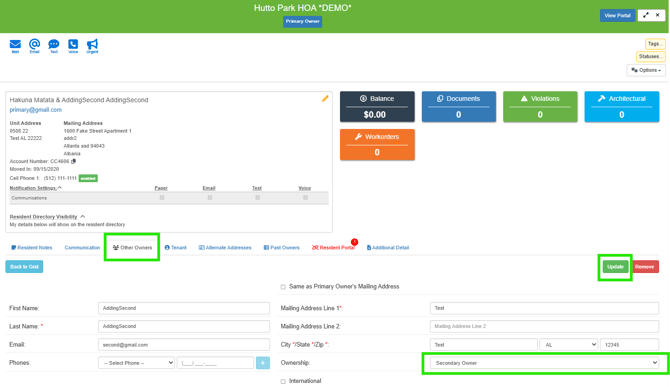
The layout for Secondary Owners, Other Owners, and Tenants has been enhanced to allow for more Contacts to be stored per Unit. Secondary and additional owners are located on the Other Owners tab within the Owner/Unit drawer.
Longer term, this enhancement will enable additional functionality for each Contact associated with the Unit, including Resident Portal invitations and more.
From the Other Owners tab, you can add and edit contact information for Secondary Owners, Other Owners, and Dependents.
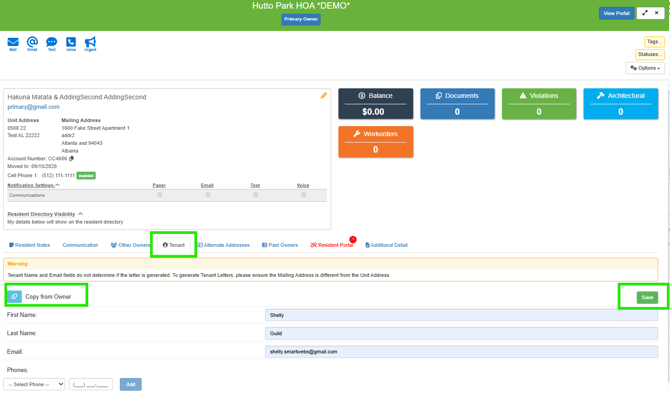
If applicable, from the Tenant tab, you can add and edit contact information for Tenants and Tenant Dependents.
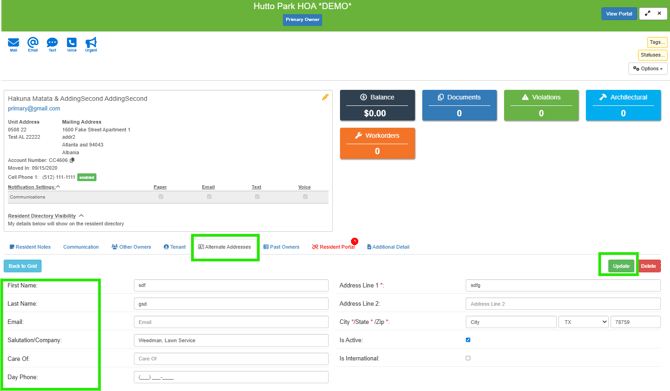
If applicable, from the Alternate Address tab, you can add and edit Alternate Addresses associated with the Unit, such as addresses for agents or third parties holding an interest in the Unit.
End of FAQ