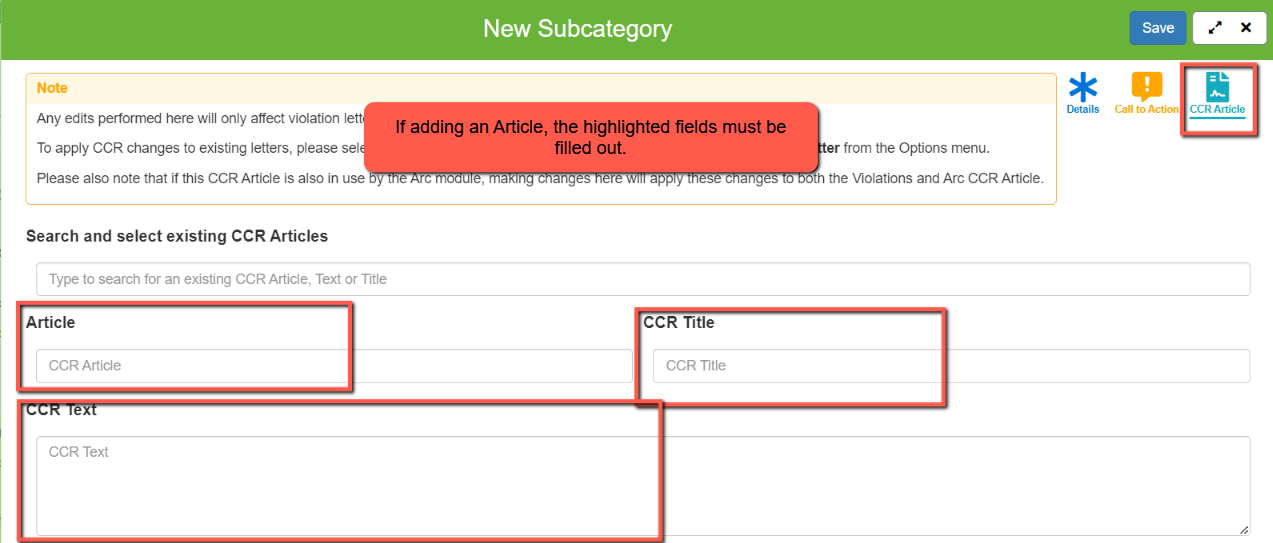
In Smartwebs, only Global Admins can add new violation Categories and Subcategories, as these types apply to all associations within a management company. If you are not a Global Admin but need to add categories, contact your Global Admin for assistance.
Navigation
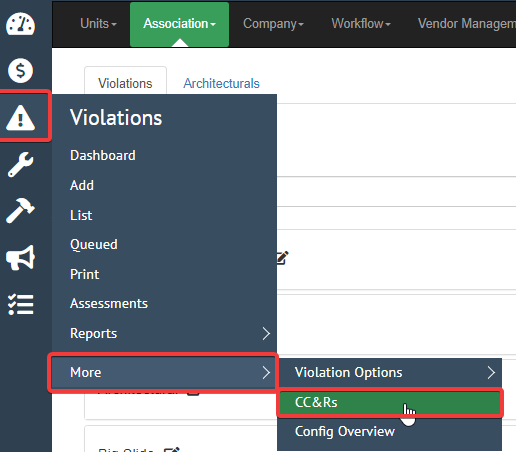
To add a violation category or subcategory, navigate to the CC&Rs section of Smartwebs using one of the following paths:
- Going to Settings > Manage > Association > CCRs
- or through the Violations Module > More > CC&Rs

Creating a new Category
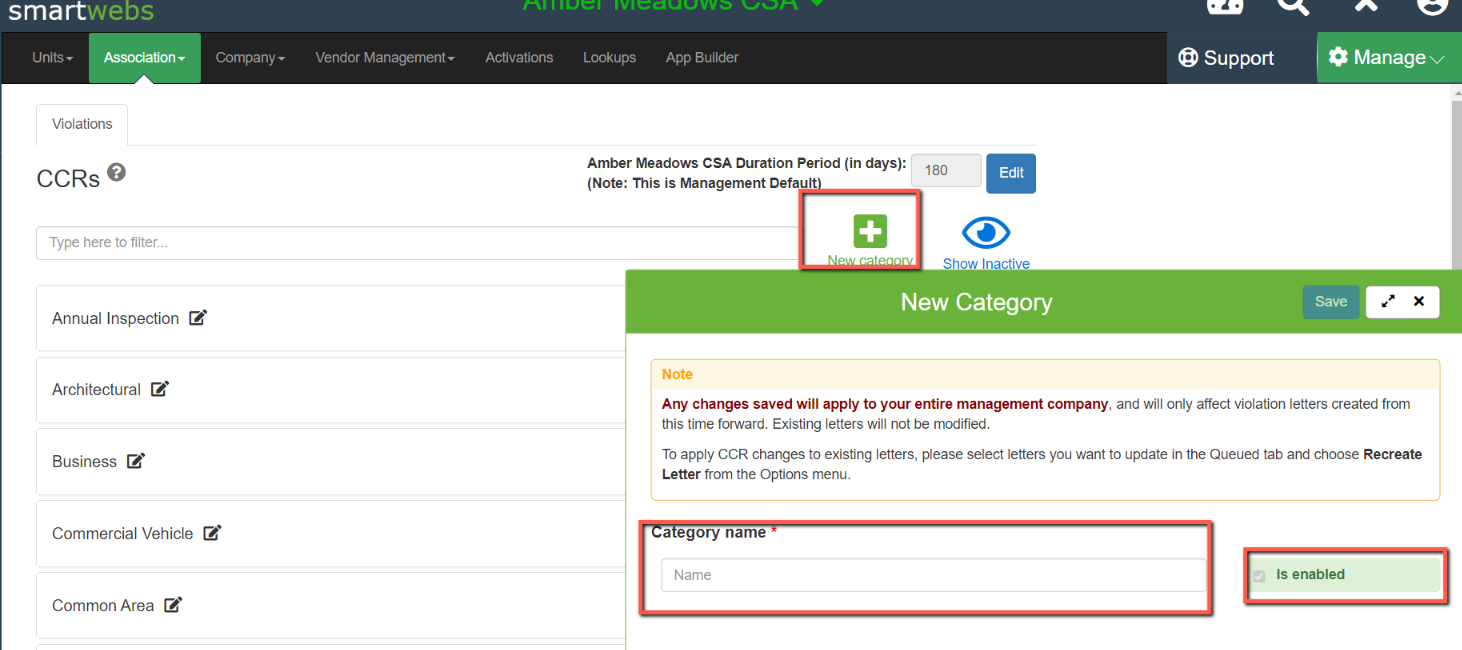
While in the CC&Rs section, click the "New Category" Plus sign button at the top of the screen and enter the name of your new Category.
- Ensure that "Is enabled" has been checked then click "Save" in the top right corner
Creating a new Subcategory
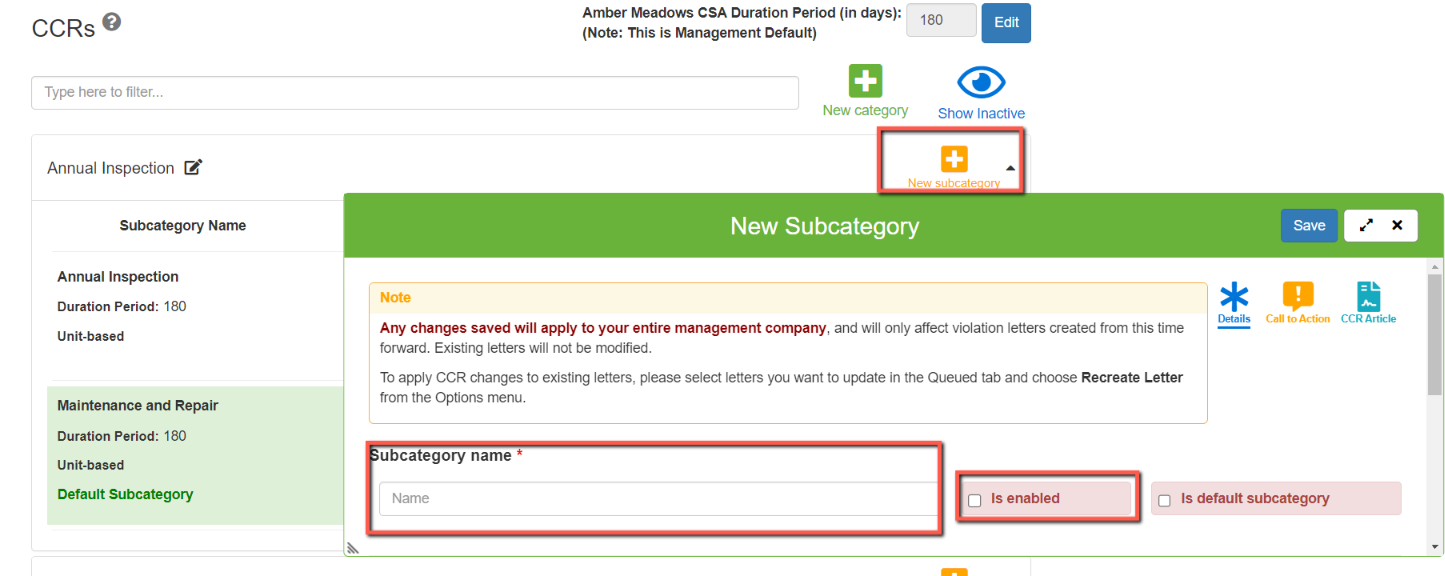
Expand the parent category and then click the New subcategory button next to the category name.
- Enter the subcategory name, then ensure the violation type is accurately set at the bottom. Once the subcategory details are complete, click Save before proceeding to the Call to Action step.
Editing Call To Action
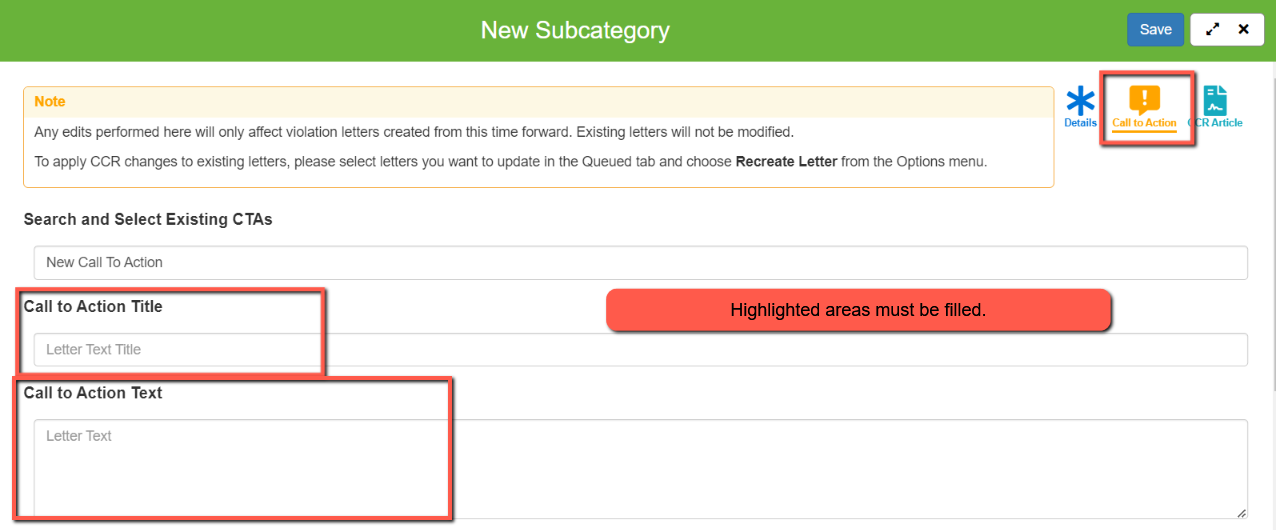
Next, you will need to click the "Call to Action" button in the upper right-hand corner of the pop-out tray.
Populate the desired details into the Call to Action Title and Call to Action Text fields, then click Save.
- Enabling Subcategories requires Call to Action information to be entered into the "Call to Action" page. This is the minimum amount of information to enable a Subcategory.Additionally, ensure the "Is enabled" checkbox is checked for the subcategory, similar to the category creation step.
- NOTE: If the Call to Action Text section is blank for a given subcategory, it will not be available to select when creating new violations
NOTE about subcategory information
While category and subcategory names span across an entire management company, Title, Call to Action Text and CCR Article details are association-specific.