
Smartwebs' Zero Touch Mail service uses the return address associated with each HOA's Satellite Office for Certified and First Class Mail sent through our integrated mailing partner.
How is the return address determined?
- HOAs assigned to a Satellite Office: The Satellite Office's name and address are used as the return address on the mail cover letter.
- HOAs not assigned to a Satellite Office: The Management Company's name and address, as configured in the Company Profile, are used by default.
How do I update the return address for my HOA?
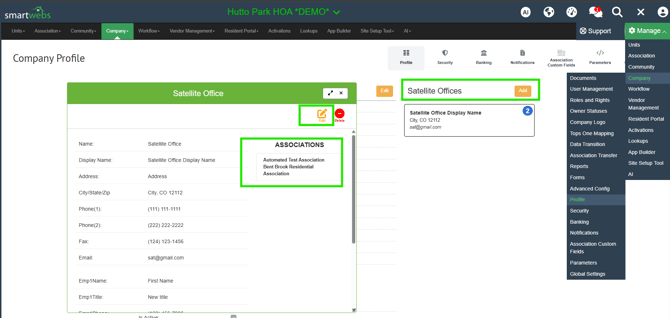
To change the return address, verify that your HOA is assigned to the correct Satellite Office and that the office's information is up to date.
For instructions on managing Satellite Offices and HOA assignments, refer to our User Guide: Satellite Offices
What if the HOA is not assigned to a Satellite Office?
If your HOA is not assigned to a Satellite Office in Smartwebs, the name and return address on the cover letter will default to the information in your Management Company's Company Profile.
Refer to this guide for instructions on Adding an HOA to a Satellite Office.