
If your statements were not generated or sent as expected through Automail, it is typically because Automail has not been fully activated or toggled on for that batch. Switching the mailing method briefly forces the system to reset and fully enable Automail for your statements.
You can resolve this issue by resetting the mailing option in your settings. Follow these step-by-step instructions:
- Go to Statements > Settings.
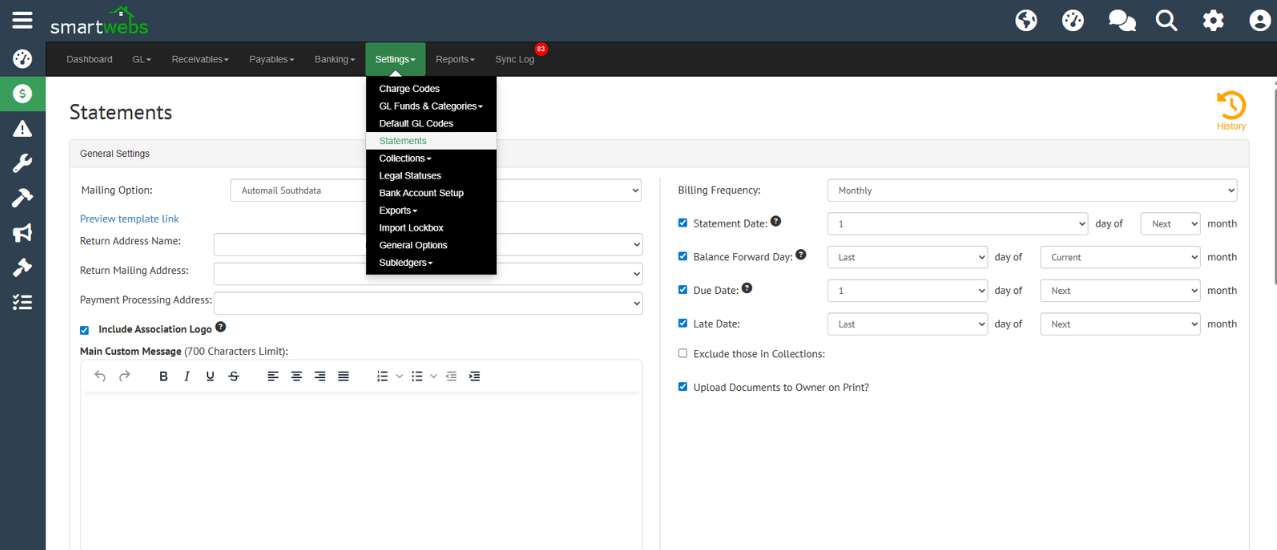
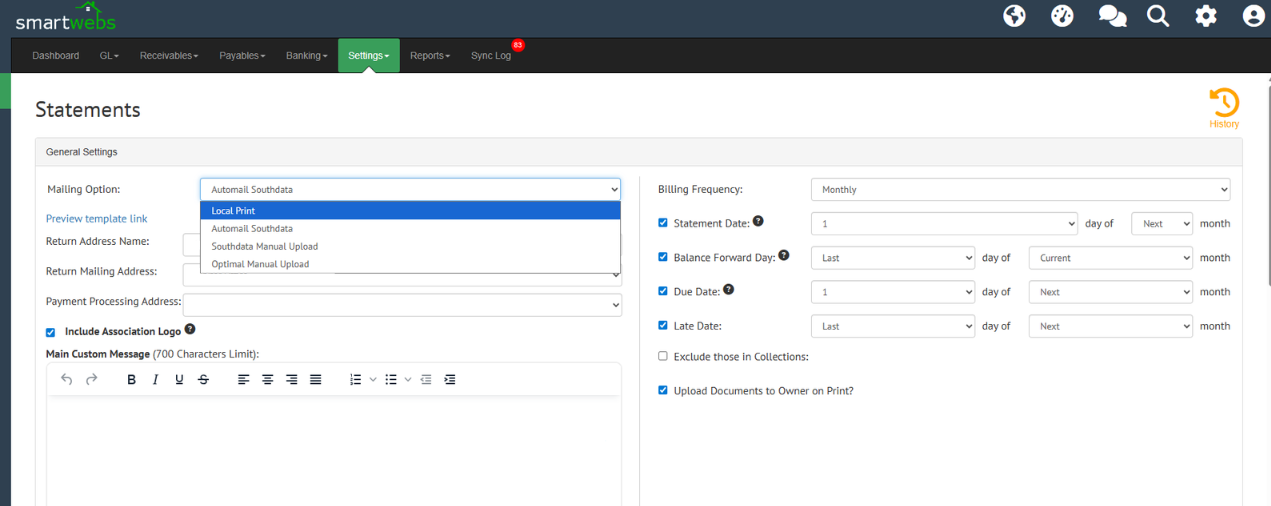
- Change the mailing option from Automail to Local Print.
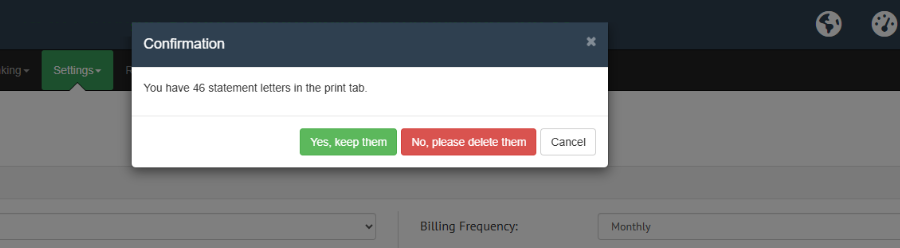
- When prompted to either delete or keep the existing statements, select your preferred option.
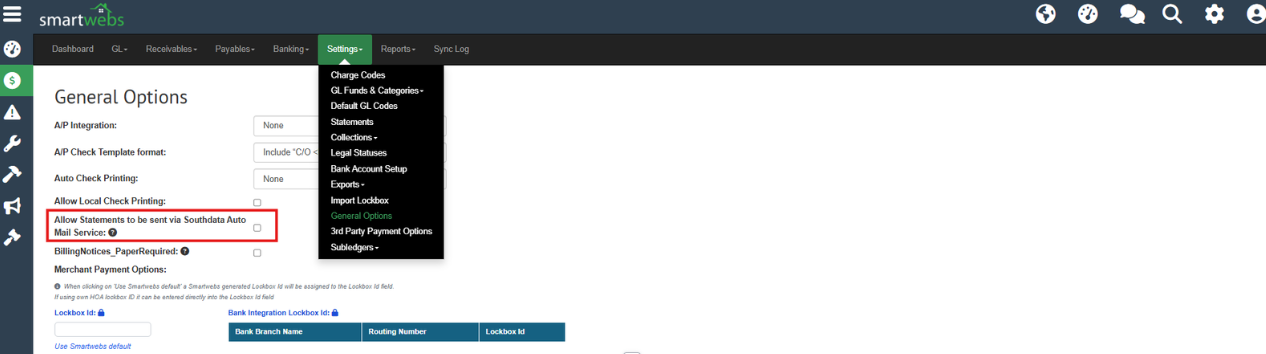
- Go to Settings > General Options and enable Allow Statements to be sent via Southdata Auto Mail Service. Click Save.
- Once completed, go back into Statement Settings and switch the mailing option back to Automail.
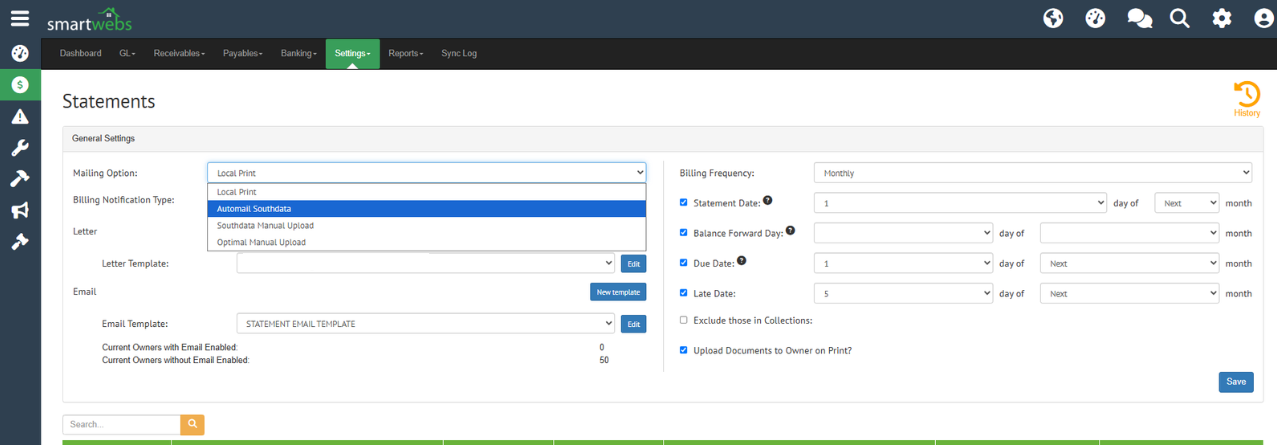
Once toggled back, Automail will be fully turned on and ready to process and send your statements.